Sunshade
Introduction
This page explains how to fix flare with our 3D printed sunshade.
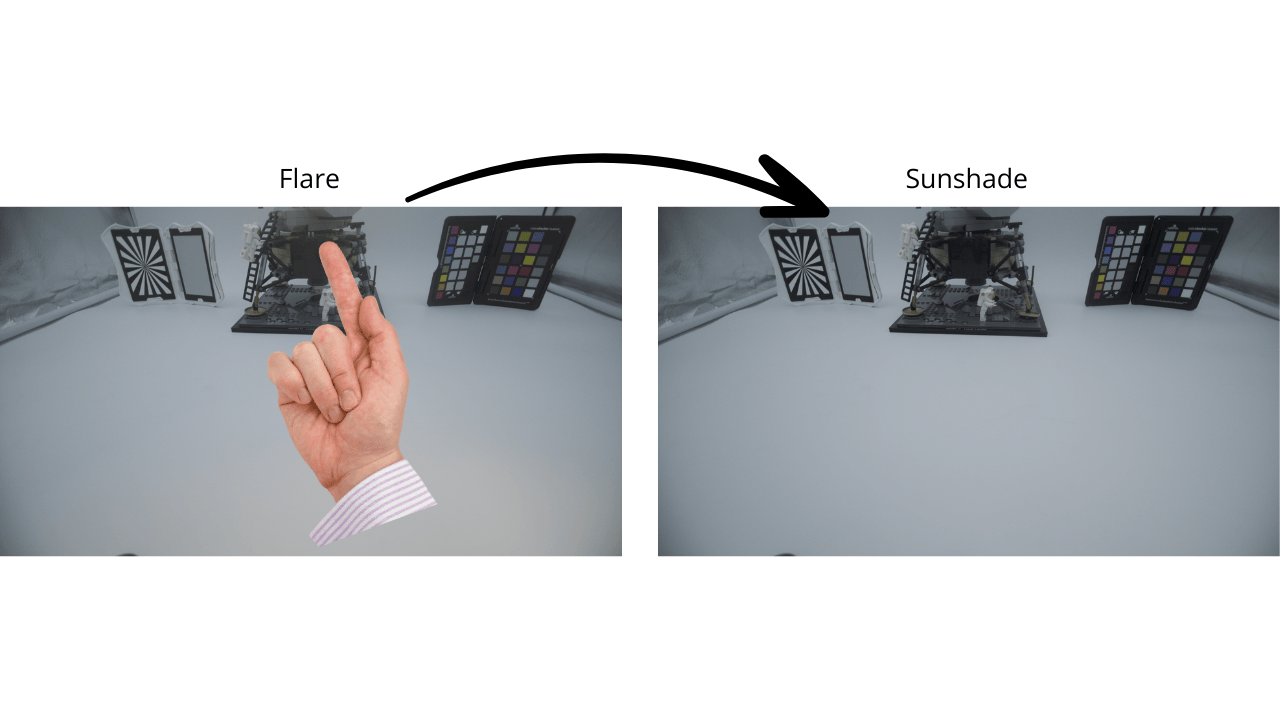
What is flare
Lens flare occurs when bright light sources (like the sun or stage lights) enter your lens and create unwanted reflections between the lens elements, the lens barrel, and sometimes even the camera sensor. This produces visible artifacts in your image and degrades overall image quality.
The Physics When intense light hits your lens:
Most light passes through the lens elements properly to form your intended image Some light reflects off the surfaces between lens elements (even with anti-reflective coatings, 1-2% reflects at each air-glass interface) These reflections bounce around inside the lens barrel, creating secondary light paths This scattered light reaches the sensor, adding unwanted exposure
Two Main Types of Flare:
- Veiling Flare (Contrast Loss)
Diffuse, scattered light across the entire frame or large portions Reduces overall contrast by lifting black levels (blacks become gray) Desaturates colors Creates a "washed out" look This is exactly what you mentioned!
- Ghosting/Artifacts
Visible geometric shapes (often polygons matching your aperture shape) Colored orbs or streaks Positioned opposite to the bright light source relative to the frame center
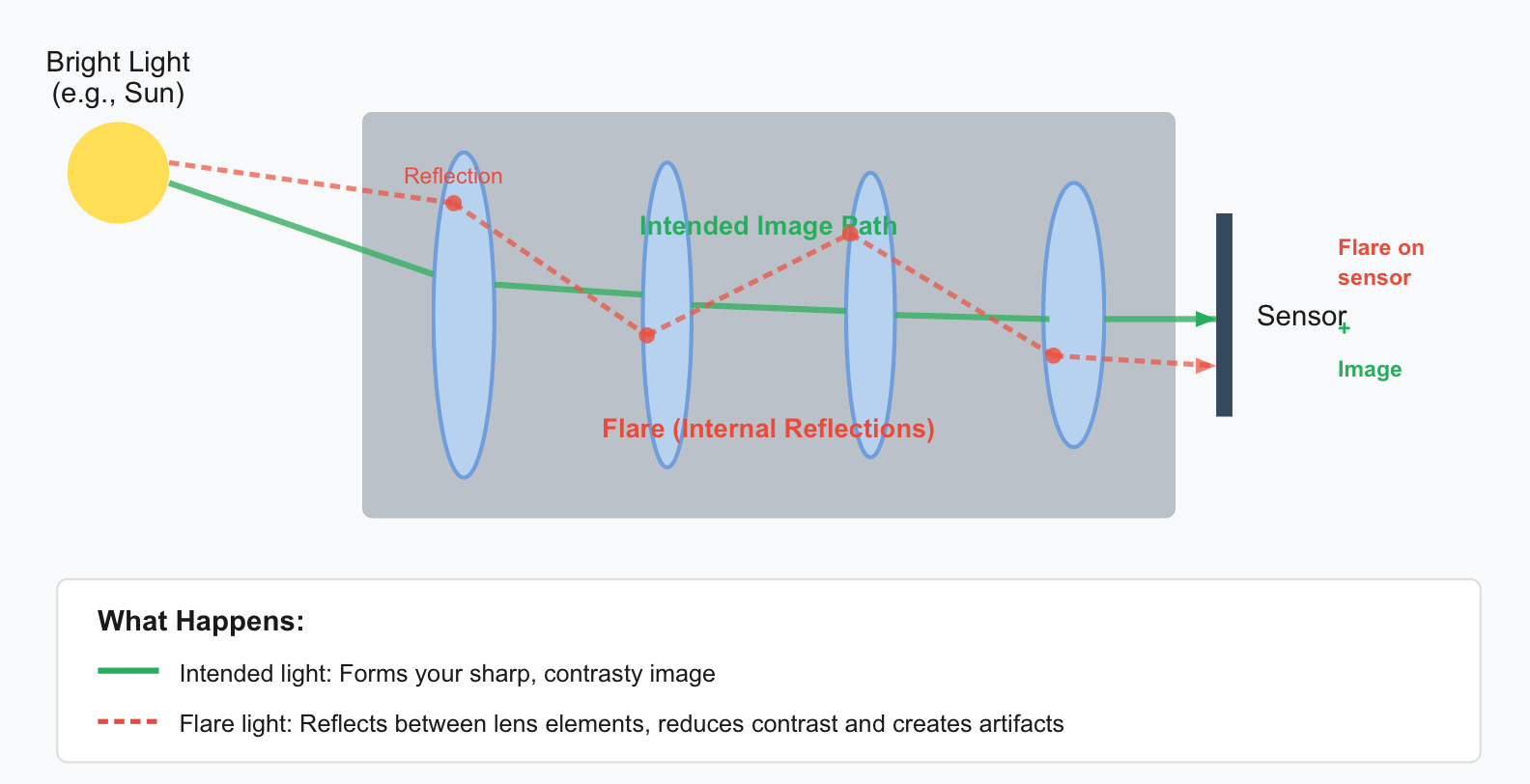
The flare light adds extra, unfocused exposure to the sensor, which lifts the black levels and reduces contrast.
Modern lenses use multi-coating to minimize reflections, but strong light sources can still cause veiling flare (contrast loss) or visible artifacts (ghosting).
PROTON RAIN 3D model
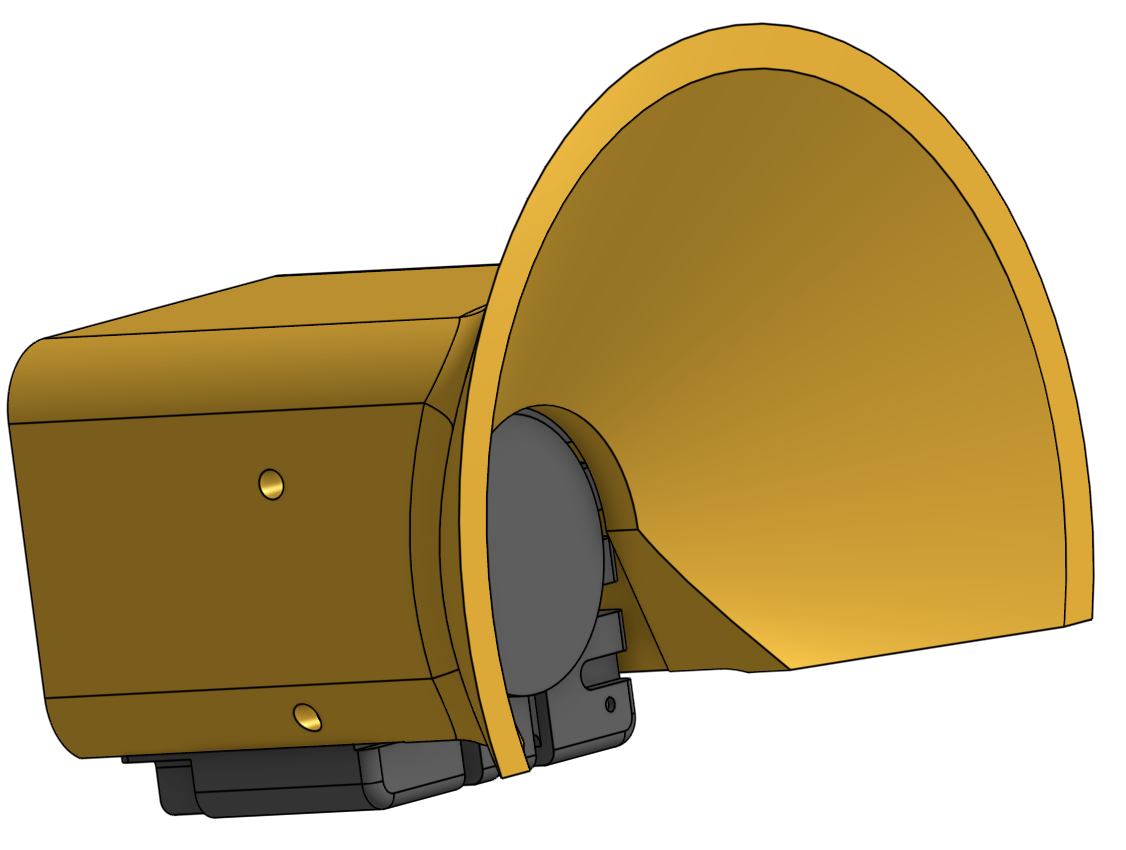
This model had a 97° angle, with 22mm overhang:
This model can be printed without support by orienting the model like this:
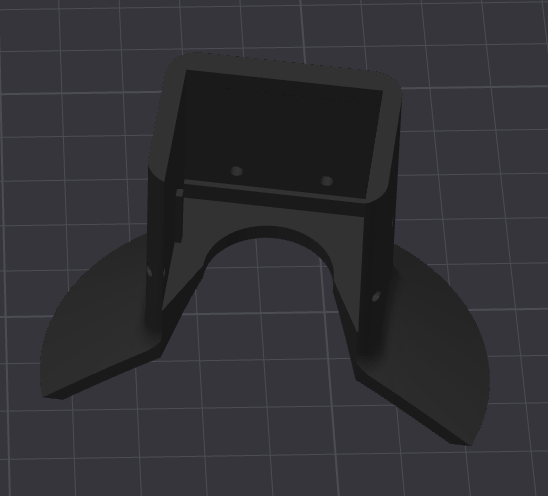
To install it, just "clips" it. No screw needed.
Prefer if possible:
- White color to reflect sun better (help cooling)
- PETG material to better resist chocks and temperature of the camera